

01Overview
Home Assistant runs at home on a Home Assistant Green, a small dedicated box on the local network. It brings the connected devices of the house into one app: the Panasonic Aquarea heat pump for heating and hot water, two motorised blinds, an indoor and outdoor weather station, an air purifier, the living room lights and a security camera.
I set it up in January 2025 and I am its only administrator. Day to day it is the app I open to check the house; behind it there is the less visible work of keeping it running: updates, backups and fixes when a maker changes something on their side.
- Enlarge screenshot:
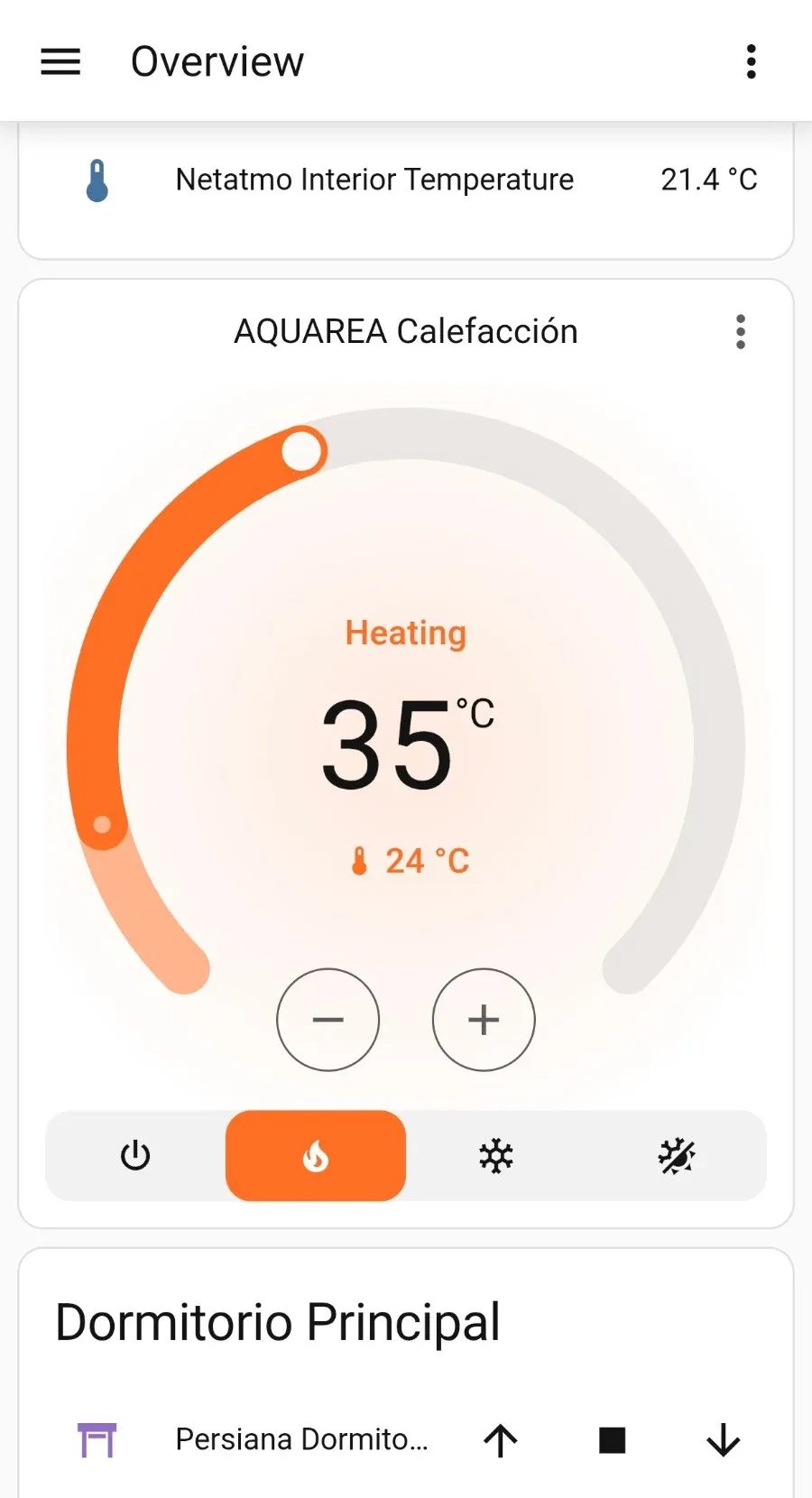
01 Heating The heat pump's thermostat next to the weather station and the blinds
- Enlarge screenshot:
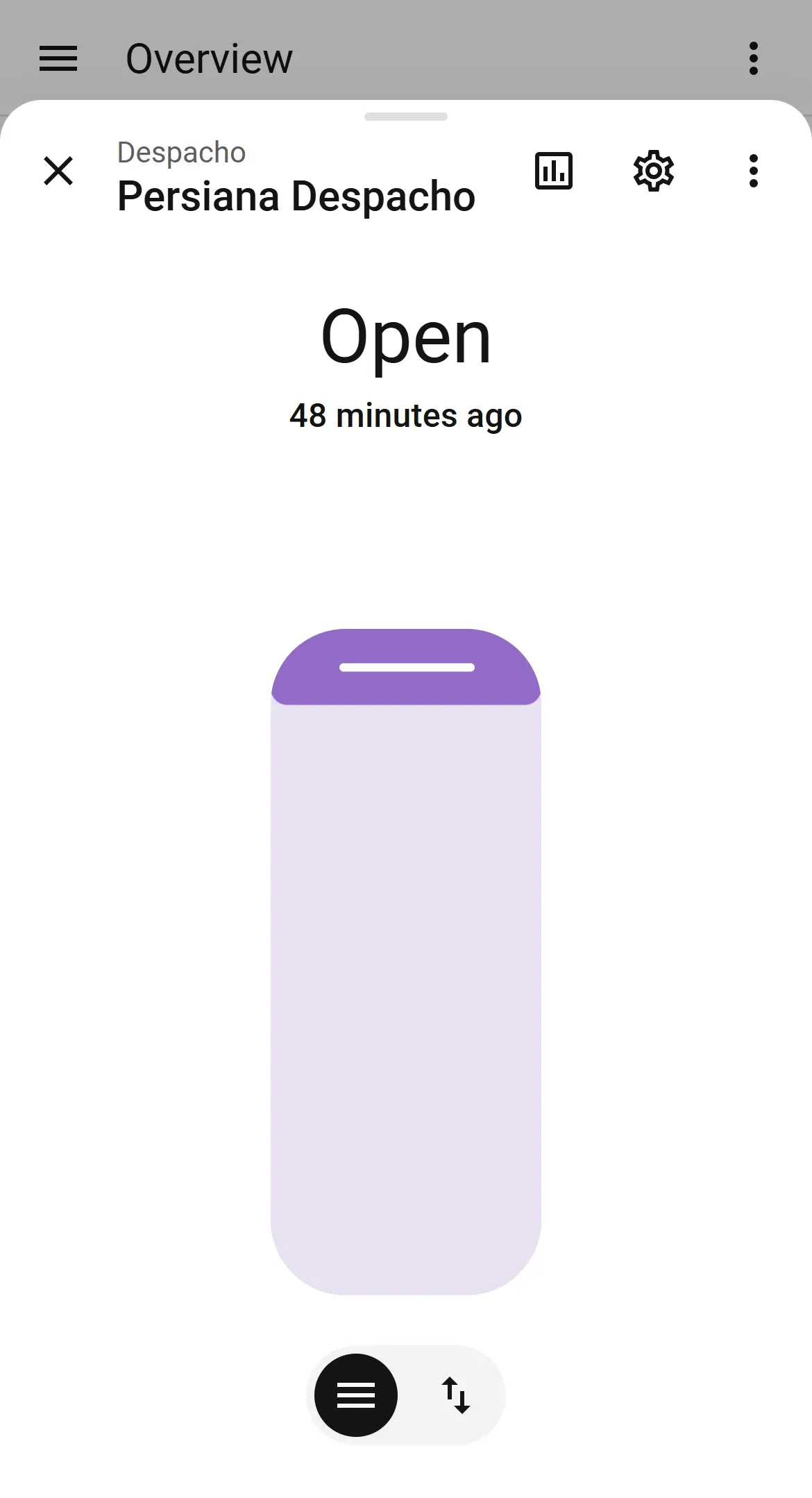
02 Blinds Open, close or set any position, from anywhere in the house
- Enlarge screenshot:
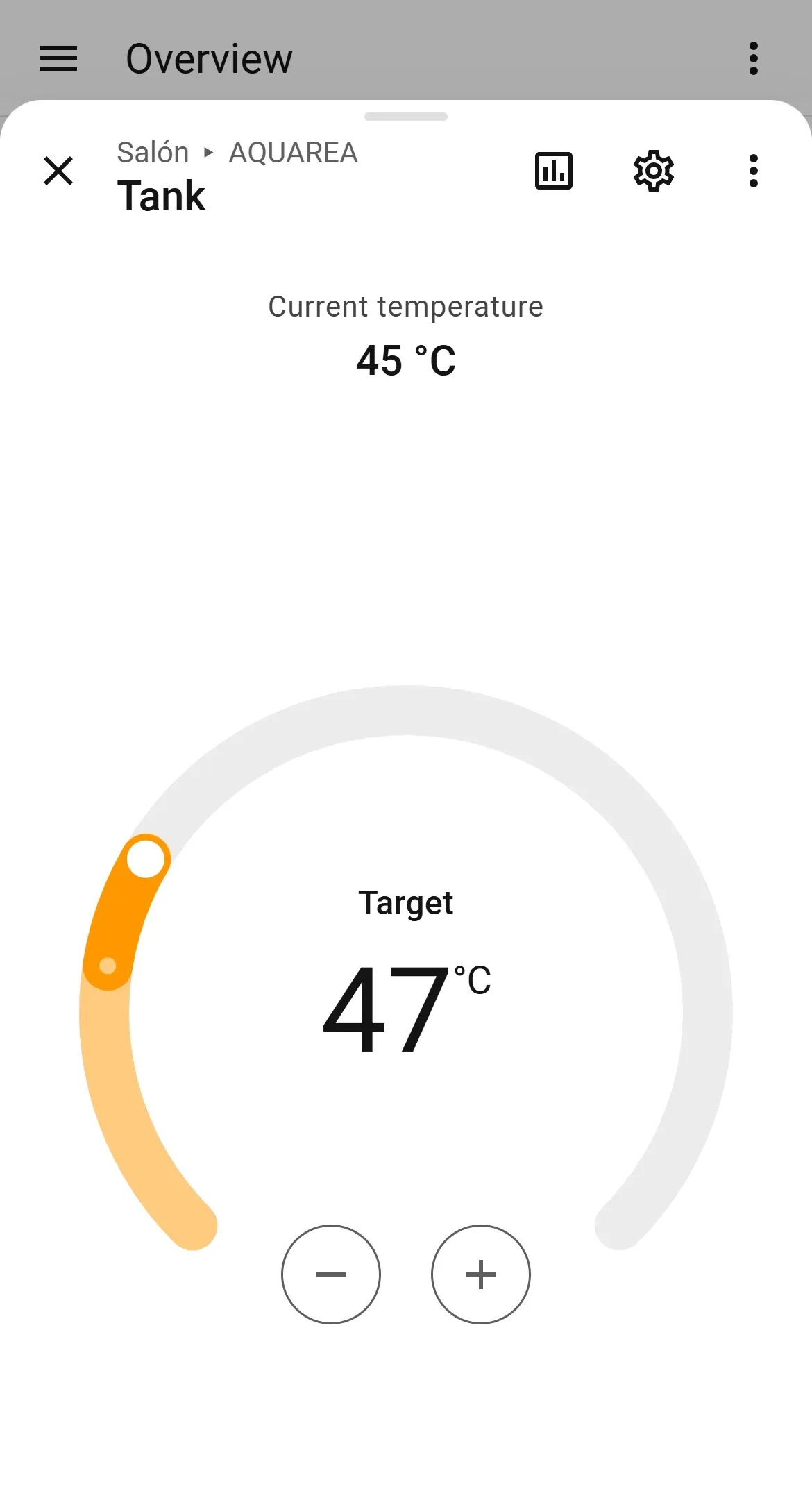
03 Hot water The tank's temperature and target, in the same app as the heating
02The problem
A connected home usually means one app per brand. Ours had seven: Panasonic for the heat pump, Shelly for the blinds, Netatmo for the weather station, VeSync for the air purifier, Tuya for the LED strip, TP-Link for a smart plug and Ring for the camera.
Each app shows its own device and nothing else, so there is no single view of the house, and no way for one device to react to another. Each one also signs in to its own cloud, with its own account and its own changes.
- Heating & hot water in the maker's app
- Blinds in another app
- Air & weather in two more
No shared view, and nothing can react to anything else.
- Heating & hot water thermostat and tank, side by side
- Blinds position and energy use
- Air & weather indoor, outdoor and the purifier
One view of the house, ready for automations.
03What I built
Home Assistant runs on a Home Assistant Green with Home Assistant OS. Each brand joins through its own integration: Panasonic Comfort Cloud for the heat pump, Shelly for the two blind relays, Netatmo for the weather station, VeSync for the purifier, Tuya for the LED strip, TP-Link for the plug and Ring for the camera. Devices are grouped by room, so the overview reads like the house.
The Shelly relays and the TP-Link plug talk to Home Assistant over the local network. The heat pump, the weather station, the purifier, the LED strip and the camera go through their makers' clouds, which is the only way those brands allow.
The heat pump's integration is a community project, installed from the Home Assistant Marketplace. It brings the heat pump's finer controls into Home Assistant: quiet and powerful modes, forced hot water, defrost requests, weekly and holiday timers, and counters for each cycle.
Since November 2026 my personal agent, Achu, also runs the house from Telegram: "raise the office blind to 50%", "turn the LED strip on and make it blue", "heating on at 38". It connects to Home Assistant's own MCP server as a user of its own, and sees only what I expose to it: six devices it may change, five sensors it may read and two scripts. The scripts fill the two gaps in Home Assistant's standard voice actions: switching the heating on in heat mode with a target, and the heat pump's powerful mode for 30, 60 or 90 minutes.
- Devices
- Aquarea heat pump
- Two Shelly blind relays
- Netatmo weather station
- Levoit purifier
- LED strip, plug and camera
- Connection
- Local network: Shelly, TP-Link
- Makers' clouds: Panasonic, Netatmo, VeSync, Tuya, Ring
- Hub
- Home Assistant Green
- Home Assistant OS
- Rooms and dashboard
- Control
- Phone app
- Web dashboard
- Achu on Telegram
Running it
- Backups
- A full backup before every major update, with a copy kept off the device.
- Updates
- OS and Core updated over SSH, then the logs read for integrations that broke.
- Community code
- Read before it is installed: the integration and the library it pulls in.
04Key decisions
- 01
Run the hub at home.
Home Assistant runs on a box in the house, not in a cloud service. The local devices keep working without the internet, and the cloud ones depend on their own makers only, not on one more company in between.
- 02
Back up before every update.
Every major update starts with a full backup, and a copy leaves the device. In November 2026 that meant a 20-month jump could be tried without risking the configuration.
- 03
Read community code before installing it.
Community integrations run inside Home Assistant with access to everything. Before updating the heat pump's, I had its code and its library checked: which servers it talks to, what it stores and what it deletes.
- 04
Give the agent the least it needs.
Achu has its own user, without admin rights, local network only, and a token I can revoke on its own. Home Assistant exposed 28 entities to voice assistants by default, the camera's motion detection and the heat pump's backup heater among them; now it exposes 13, and new entities stay hidden until I add them.
- 05
Name things for people, not for devices.
A firmware update put the relays' serial numbers in front of the blinds' names. They became "Persiana Despacho" and "Persiana Dormitorio Principal" again, and the thermostat is just "Calefacción".
05How I used AI
I use Claude Code as the operator of the system. It reaches Home Assistant over SSH and through its API, reads the logs and the configuration, and proposes each change before making it; backups, updates and renames happen only once I agree.
AI also runs the house day to day: Achu, my personal agent on Telegram, turns a plain-language order into a Home Assistant action through its MCP server, checks the result and replies with the state the device is left in. It acts only when I ask, and only on what is exposed to it.
In one session in November 2026 it took Home Assistant from Core 2025.3 to 2026.11 and the OS from 15.0 to 18.4, backup first. It traced the heat pump going dark to an old integration still calling a Panasonic server that no longer exists, found that the community store had become the built-in Marketplace, and reviewed about 14,000 lines of the new version before I installed it.
06Results & learnings
- Nine devices from seven brands share the app (November 2026), with about 100 live entities between them. The house is in one app: the heat pump's heating and hot water, both blinds with their position and energy use, the indoor weather station, the LED strip, the plug and the camera, grouped by room.
- After the November 2026 update everything came back on current versions, and the heat pump gained the controls and counters of the new integration.
- Since 15 November 2026 the blinds, the desk lamp, the LED strip, the heating and the heat pump's powerful mode also answer to Achu on Telegram; all five kinds of order worked on the first test.
- In the ten days from 5 to 15 November 2026 the recorder logged about 16,500 state updates a day, mostly sensor readings. In the same days I sent 51 commands from the app: heating mode and temperature, blind positions, lights and the plug. There are no automations yet, so every action is still one I start.
Learnings
A smart home is not set-and-forget. In one month a maker retired the server an integration used, a firmware update renamed devices, and the community store moved into Home Assistant itself.
Backups and reading the logs before and after each change turn updates from a gamble into routine.
Next: not yet built
- Automations across brands: the blinds with the sun, the heating with the indoor and outdoor temperature.
- Batteries for the outdoor weather module, so the outside temperature is my own.
- Bring the camera and the purifier back online.